
The claim will ask for a list of everything that was in the house. You do not have to write it from memory.
Rebuild reads the photos already on your phone — and on your family’s phones — and turns them into the itemized, priced contents list your adjuster works from.
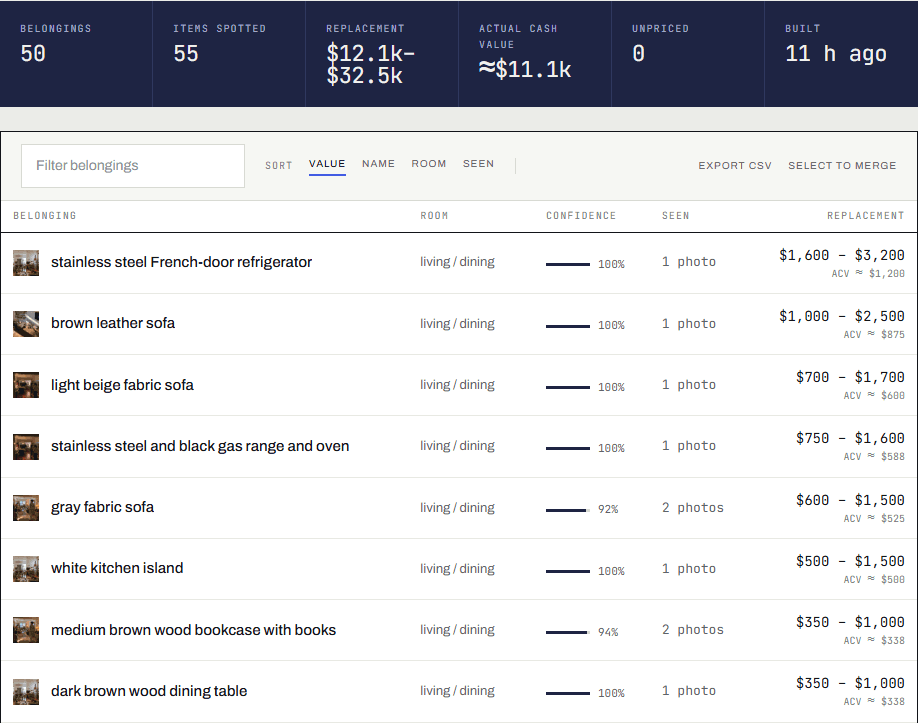
After a total loss the contents claim becomes a spreadsheet: every belonging on its own line, with the room it was in and what it would cost to replace today. It is the largest piece of paperwork in the claim, it decides most of what you are paid, and you are being asked for it while living somewhere else and dealing with everything else.
It was built here, in Spokane, after the 2025 and 2026 fires. Start with a hundred photos and see what comes back before you decide anything — there is no card, and there is no deadline on this page.
Free for the first 100 photos · No credit card · Sign up with Google or an email address in about a minute · Fire households pay nothing at all — the code is applied for you, and no card is asked for
Your plan is free. We are covering it.
The code SPOKANE-FIRE-2026 is applied for you when you continue from this page — today, or weeks from now when the adjuster asks for the files. There is no card to enter and nothing to pay, now or later. Everything the claim needs is included.
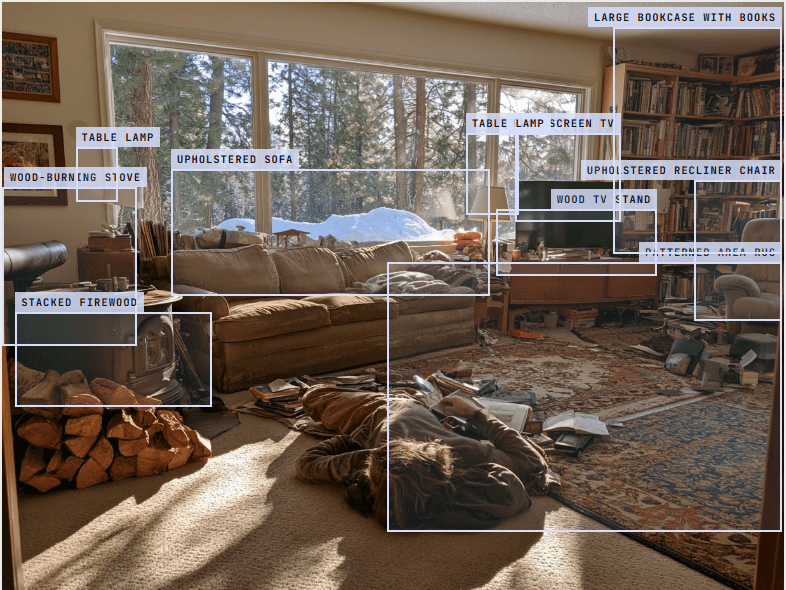
Everything in the first photograph is gone. The list is still in it.
Nobody took the photograph on the left to document a wood stove. They took it because the light was coming through the pines. But the stove is in it, and the firewood stacked beside it, and the sofa, and the lamps, and the television, and the bookcase, and the recliner, and the rug.
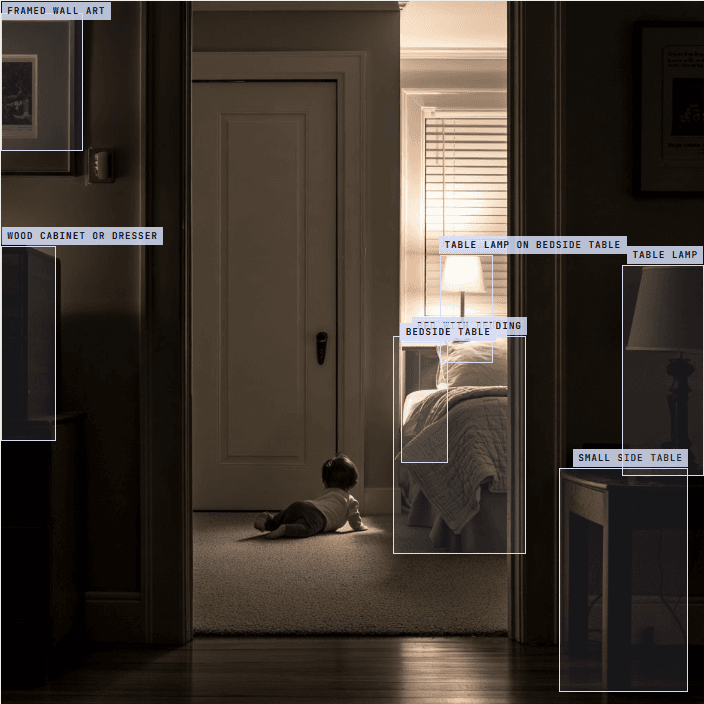
After the fire there is nothing in that room left to count, and the claim still asks for every item that was in it, one line each, with what it would cost to replace. That list cannot be written from the room any more. It can still be read out of the photograph — which is the whole of what Rebuild does.
- 01 The photograph you already have
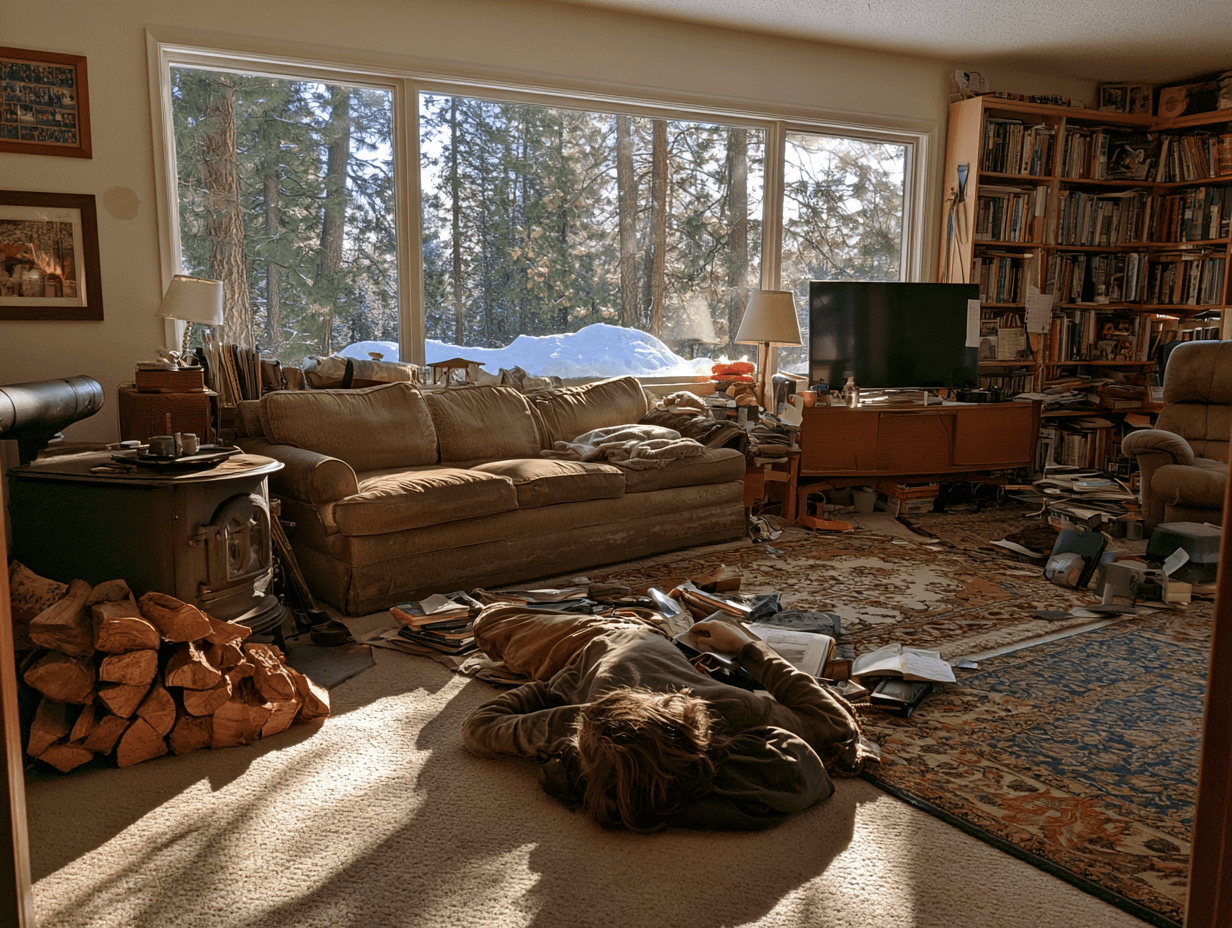
A living room off the pines on a winter afternoon. Ten belongings are in the frame, and nobody was photographing any of them. - 02 The same room afterwards
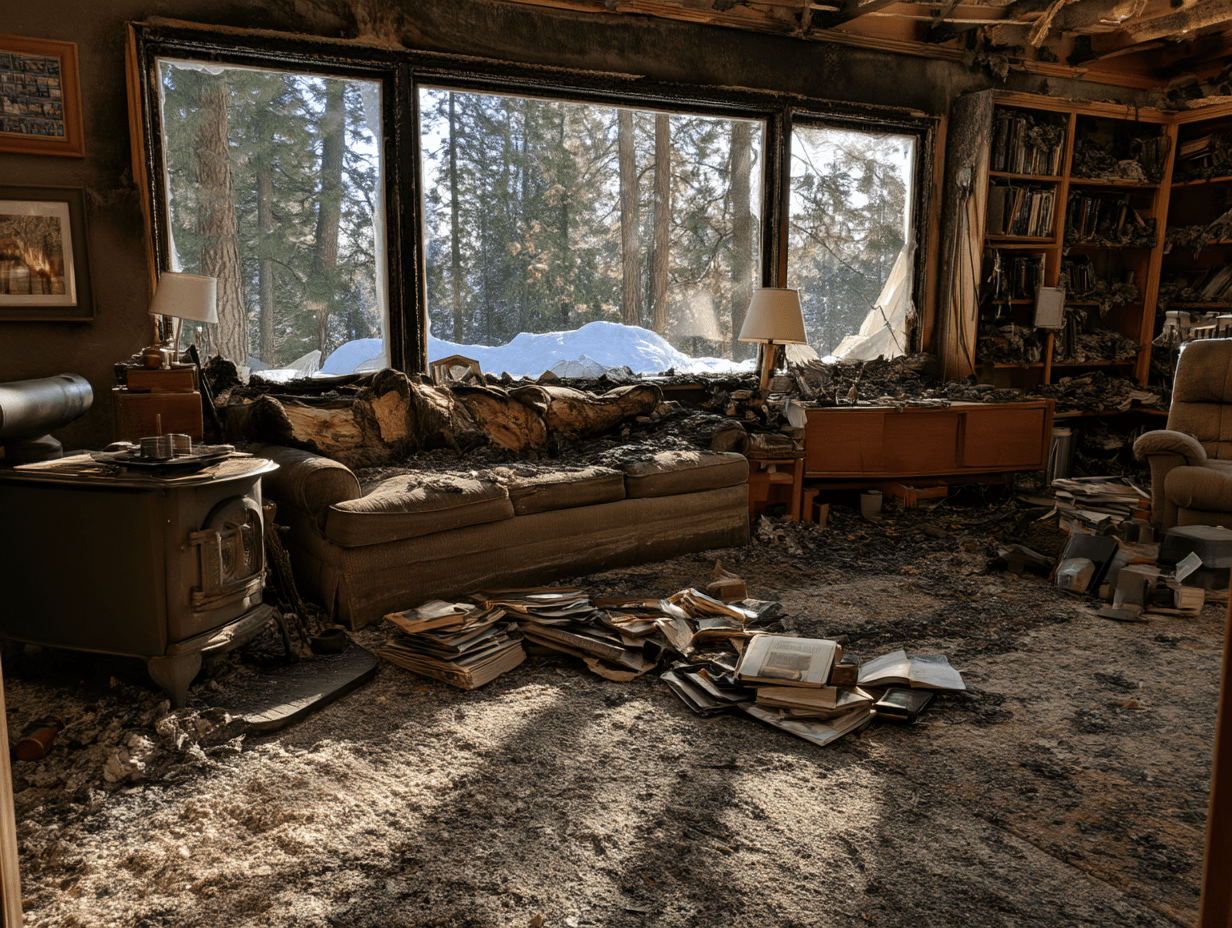
The same room afterwards. Nothing here can be counted now, and the claim will still ask for all of it, one line at a time.
Nobody can list a whole house from memory.
- The adjuster asked for every item you owned, one per line, with what it would cost to replace today.
- You opened the spreadsheet, got to forty things, and could not think of a forty-first.
- You keep remembering something else at two in the morning — the good knives, the winter coats, your grandmother's quilt.
- You are being asked to do this from a hotel room, a rental, or someone's spare bedroom.
- Somebody has told you that whatever is not on the list does not get paid for, and they were right.
You do not have to remember it. It is already in your photos.
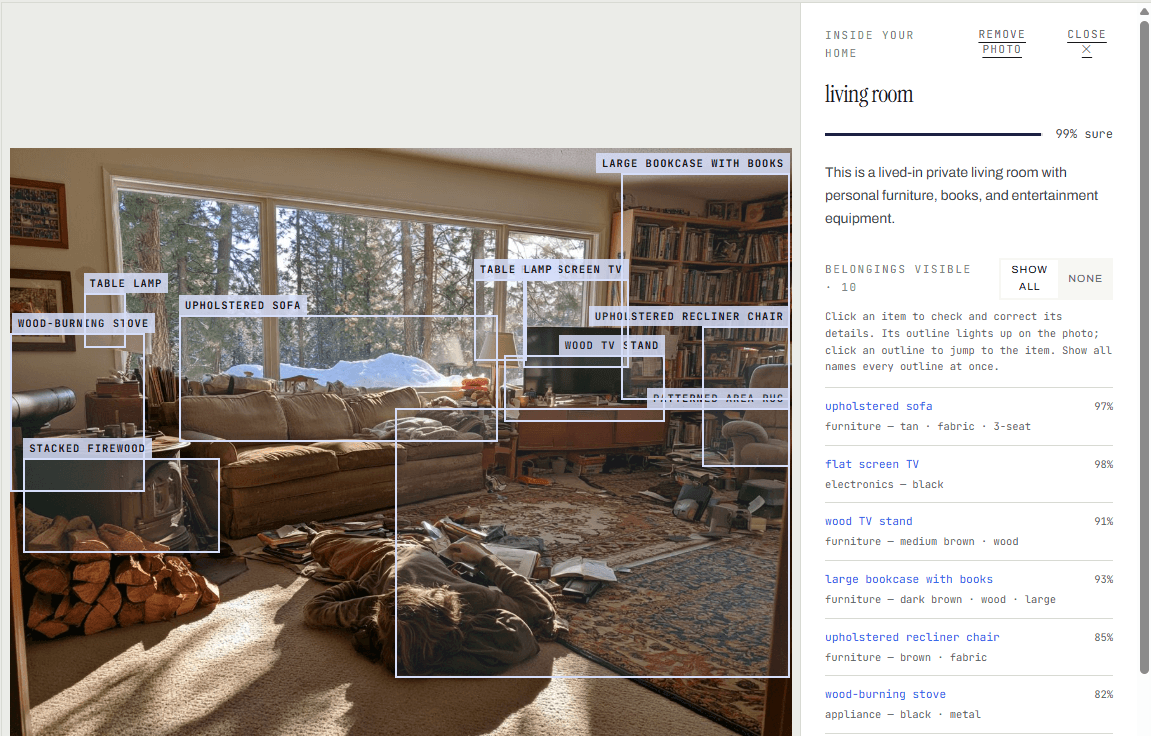
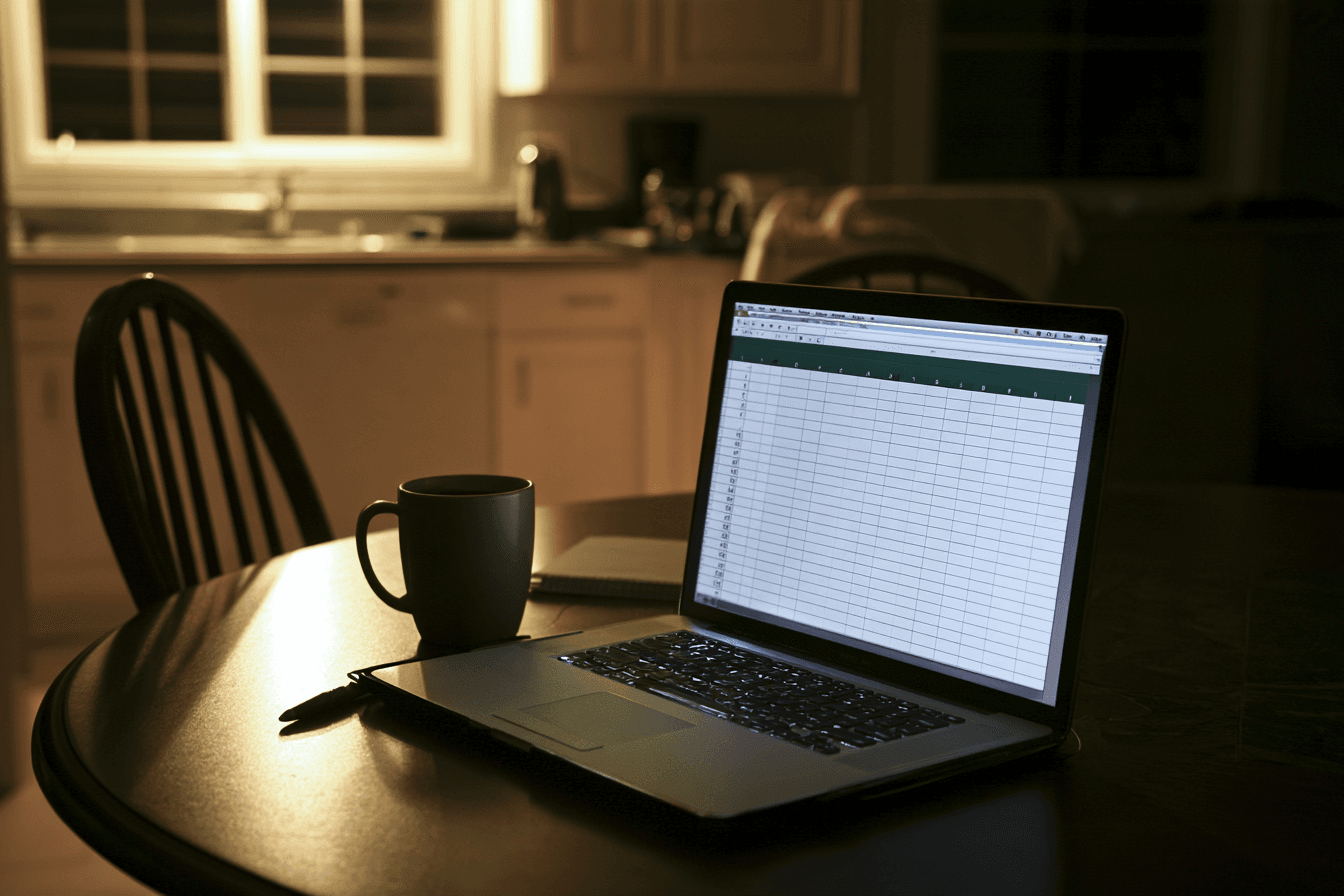
Years of birthdays, pets on the sofa, the kitchen halfway through a renovation. You were photographing the people; the camera photographed the belongings behind them. Rebuild reads those photos, finds what was in the room, and writes the line the claim asks for — with the photograph attached to it as evidence.
What a total-loss claim asks of you, and who helps with each part.
After the first calls and the advance, a claim turns into paperwork. United Policyholders, the nonprofit that helps disaster survivors with insurance, advises keeping four things going from the start. Rebuild does one of them. The rest are yours, and there is free help with them further down this page.
A complete copy of your policy
The whole policy, with the declarations page, so you know the limits for the house, the contents and the cost of living elsewhere. Ask the insurer for it in writing.
You, with a letter · United Policyholders’ sample letter
A claim diary
Every call and email with the insurer: the date, who you spoke to and what was said. It keeps the history of the claim in one place if the adjuster changes.
You. A notebook works.
Living-expense receipts
Meals, lodging and the things you have had to buy since the fire, kept and sent in for reimbursement under the living-expenses part of the policy.
You. Photograph each one as you get it.
The contents inventory
Every belonging, one line each, with what it would cost to replace and the room it was in. The largest piece of paperwork in a total-loss claim, and the one most people put off.
This is the part Rebuild builds.
From United Policyholders’ general claim tips. Rebuild is not affiliated with United Policyholders and does not give insurance or legal advice.
One place to build the contents list, and to keep it until the claim is settled.
It is not a form you fill in once. The list stays in your household, so you can come back to it after a hard week, add what a relative remembers, and send the adjuster the updated version when they ask again.
Gather the photos
Export your library from Google Photos or iCloud; the page shows you how. The export is opened on your own computer and only small copies of each photo are sent. Relatives and friends can add theirs from a link you send them, with no account.
Let it read them
The scan keeps the photos taken inside your home and names the belongings in them. The build turns forty photos of one sofa into one line, and pricing puts a replacement estimate beside it.
Correct it and fill it in
Fix what it got wrong and leave out anything it should not have listed. Describe the closets, drawers and garage shelves the camera never saw, and drop in receipts so a stated price replaces an estimate.
Hand it over, and keep working from it
A printed schedule with the photos appended, the Excel workbook an adjuster’s software imports, and a read-only link they open without an account. When the insurer sends its own estimate, Rebuild lines it up against your list so you can see what it left out.
Gathering, reading and correcting work on the free plan. The files for the adjuster, receipt reading, the room walk-through and the estimate comparison are on the paid plans.
Free for households in the Spokane Complex fires.
If you lost your home in the fires, a plan costs you nothing. Not a trial, not a first month, not a discount you have to remember to use: the code covers the whole price, and you are not asked for a card at any point.
That includes the part a claim actually turns on — the printed schedule of personal property, the Excel workbook an adjuster imports, share links, receipt reading and the room walk-through. Rebuild was built here after the fires, and this is the first thing we are doing with it.
The code SPOKANE-FIRE-2026 covers it in full. You do not need to type it: it is applied when you continue from this page, today or after starting free on this device.
Free
$0no cardStart here. See what your photos hold before you spend anything.
Reads up to 100 photos- Scan, build, price and review on screen
- Photos from family and friends by link
Home
Free for fire households$0was $99covered in full · no cardFor most homes: one phone’s worth of photos and a claim to file.
Reads up to 3,000 photos- Scan, build, price and review on screen
- Photos from family and friends by link
- Adjuster workbook and exports
- Share links
- Receipt reading
- Walk-through parsing
Whole home
Free for fire households$0was $149covered in full · no cardFor years of camera rolls across the whole family's phones.
Reads up to 15,000 photos- Scan, build, price and review on screen
- Photos from family and friends by link
- Adjuster workbook and exports
- Share links
- Receipt reading
- Walk-through parsing
If anything here does not work for you, or the code does not apply itself, write to info@novatrak.com and say you lost your home in the fires. We would rather hear from you than have the claim stall.
Prices in US dollars, and struck through because the code covers them. Checkout will not ask for a card.
It sees what the camera saw.
- It cannot see inside drawers, closets or boxes. Clothes, tools, the kitchen drawers and the garage shelves are where the walk-through matters: you say what was there and it goes on the list as yours, marked as added without a photo.
- It names a brand only when a logo or label is readable. Otherwise you get “dark sectional sofa, three-seat”, not a guess at the maker. You can add the brand yourself if you know it.
- Values are estimates. They are a starting point for the conversation with the adjuster, not an appraisal, and the adjuster will push back on some. A linked receipt turns an estimate into a stated price.
- It works from photos taken inside your home. If you have few of those, the list will be short. It tells you how many it found rather than padding the count.
- Blanks are left blank. Where the model could not tell the year, size or material, the cell stays empty for you to fill in, rather than an invented number the adjuster catches later.
The questions people ask us first.
- Is it really free, or is there a card at the end?
- Really free, and there is no card anywhere in it. The first 100 photos are read on the free plan, and you scan, build, price and review the inventory on screen. Nothing is charged, nothing expires, and no card is asked for. What the free plan holds back is the filing tools — the printed schedule, the Excel workbook, share links, receipt reading and the room walk-through — and you only need those the day the adjuster asks for files.
- What does it cost if I decide to keep going?
- One payment for your household, sized by how many photos the plan reads. It is not a subscription, there is nothing monthly, and nobody here takes a share of your settlement. Paying unlocks the household exactly as it stands — nothing is uploaded again and nothing you already built is lost. The plan page has the numbers.
- What happens to my photos?
- The export never leaves your computer. Your browser opens the zip locally and sends three small copies of each photo — a 512-pixel version for the model, a thumbnail, and a screen-sized view. A 2 GB export becomes about 85 MB on the wire, and the full-resolution originals stay on your machine. Photos the scan decides were not taken inside your home are set aside and used for nothing else. The model is asked about things, never about who is in the picture. Clearing your household deletes all of it, and so does deleting your account.
- Will an adjuster accept a list made this way?
- It is not a list a machine hands in; it is your list, built from your photographs, corrected by you. Every line cites the photos the belonging appears in, which is stronger than the list most people file — one written from memory with nothing behind it. It comes out in the three shapes carriers already read: a printed schedule of personal property with the photographs appended, an Excel workbook their software imports, and a read-only link they open without an account.
- Are the values real?
- They are estimates, labelled as estimates, and given as a replacement range with a depreciated cash value beside it. They are the starting point for the conversation with the adjuster, not an appraisal, and the adjuster will push back on some of them. Link a receipt or your order history and a stated price replaces the estimate. Where the model cannot tell, the cell is left blank rather than guessed, because an invented number is the thing an adjuster catches and then uses against the rest of your claim.
- What if I do not have many photos of the inside of my house?
- Most people have far more than they think — about one in three photos in an ordinary camera roll was taken indoors. Family and friends can add theirs from a link you send, with no account needed and with you approving every photo. And whatever the camera never saw — the closets, the drawers, the garage shelves — you describe in the room walk-through, and it goes on the list as yours, marked as added without a photo. The free 100 photos will tell you the answer in about ten minutes, at no cost.
- I do not have the energy for another app right now.
- Then do the smallest version: make the account, drop in the photos, and close the tab. The scan runs on the server without you. Come back tonight, or next week, to a first draft of the list. Nothing you build is lost if you step away, and there is no deadline here of any kind.
- Who is behind this?
- Rebuild is made by NovaTrak, and it was built in Spokane after the 2025 and 2026 fires for the people who came home to nothing. We make the contents list and nothing else: we do not negotiate claims and we do not give insurance or legal advice. If the price is what stands in the way, write to info@novatrak.com and say you lost your home. We would rather hear from you than have the claim stall.
Free help with the rest of the claim, and the rest of recovery.
United Policyholders
A nonprofit that helps disaster survivors with insurance claims. Its page for the 2026 Spokane Complex fires gathers claim guidance and free Zoom forums where survivors talk to people who have been through it.
uphelp.orgWashington State Office of the Insurance Commissioner
Free consumer advocates for questions or trouble with your insurer, at 1-800-562-6900 on weekdays, 8:30 a.m. to 4:30 p.m. It also holds wildfire claims workshops in Spokane on the second Monday of each month, 6 to 8:30 p.m.
insurance.wa.govPostFire Washington
What to do first after the Old Trails and Spokane area fires, in order, with local contacts.
washington.postfire.orgGreater Spokane Recovery Fund
A Spokane County disaster fund run by United Ways of the Pacific Northwest.
uwpnw.org
Rebuild is not affiliated with any of these organisations. It makes the contents list; it does not negotiate claims or give insurance or legal advice.
Start when you can. Stop when you need to.
The account takes about a minute, with Google or an email address. The first 100 photos are free, no card is asked for, and nothing you build is lost if you step away for a week. Drop the photos in, close the tab, and come back to a first draft of the list. If it turns out not to help, nothing was charged and nothing was lost but ten minutes.
Free for the first 100 photos · No credit card · Sign up with Google or an email address in about a minute · The fire household price is kept for you at checkout