
From a camera roll to a claim, in six steps.
Two of the six steps need you. The other four run on their own, on the server, whether or not the tab is open. For most households that means about ten minutes of attention to get a first draft of the list, and then as many evenings as you want to spend correcting it and adding what the camera never saw.
The Workspace is one sequence. The current step is open; a finished step reopens on a click so you can check what it did; a locked step says why. Nothing expires and nothing is lost, so you can stop after step two and come back weeks later. The first 100 photos are free and no card is asked for, so you can run all six steps end to end and see the real output before deciding whether this is worth paying for.
Add your photos
Export from Google Photos or iCloud, or point it at a folder. Your browser opens the zip on your own computer and sends three small copies of each photo. The originals never leave your machine; a 2 GB export becomes about 85 MB on the wire.
Scan them
A vision model looks at each photo and decides whether it was taken inside your home, then lists the belongings it can see. Restaurants, other people’s homes and holidays are set aside. It runs on the server; you can close the tab and come back.
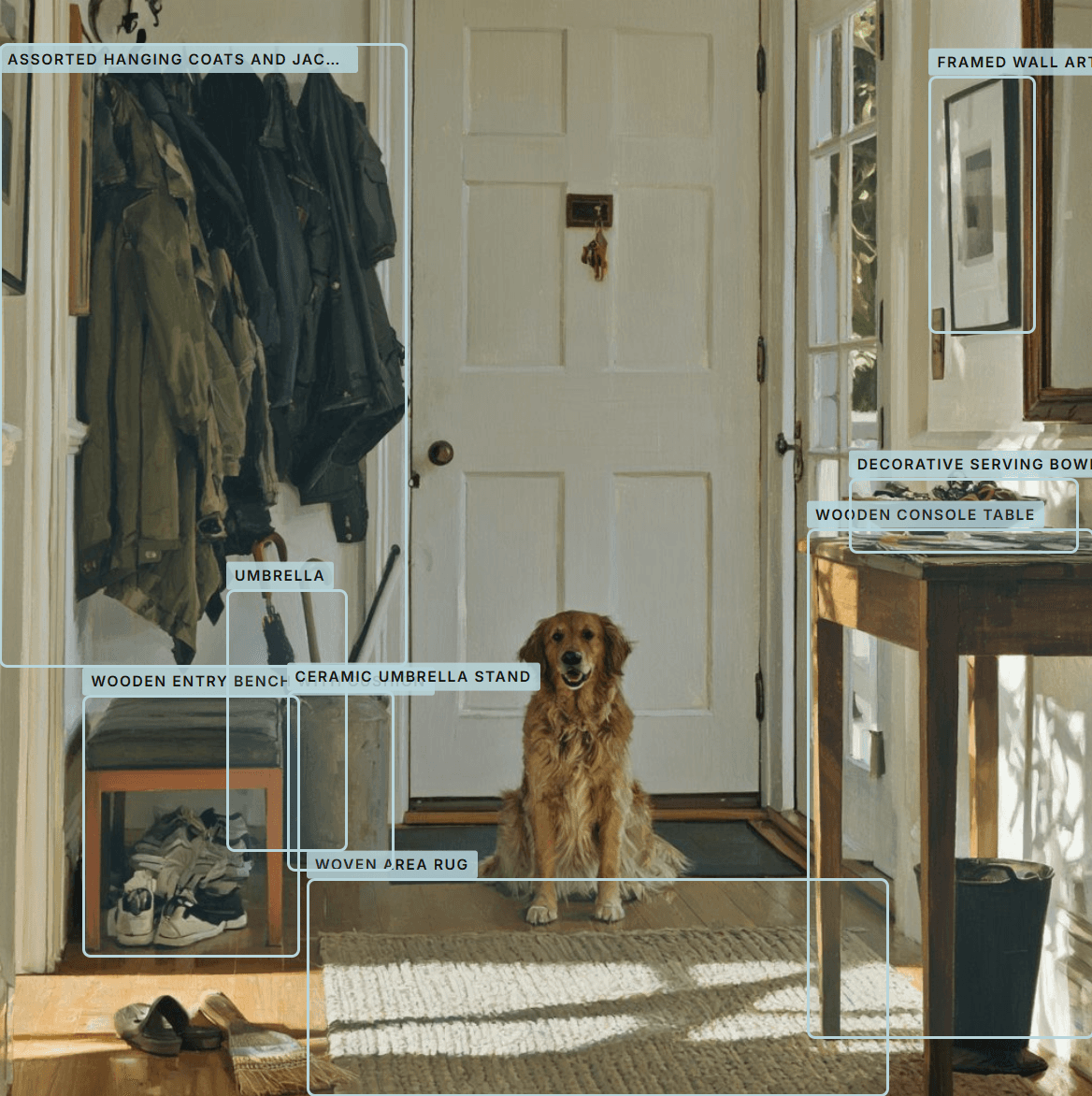
After step 2: a hallway photo opened in the app, every belonging outlined and named. The coats, the bench, the umbrella stand, the console table and the rug become nine inventory lines from one picture. Build the inventory
The same sofa shows up in forty photos. This step collapses those items spotted into one belonging, with every photo it appears in attached as evidence.
Price it
Each belonging gets a replacement estimate as a range. They are model estimates, not quotes, and the adjuster will negotiate. Where the model cannot tell, the cell is left blank rather than guessed.
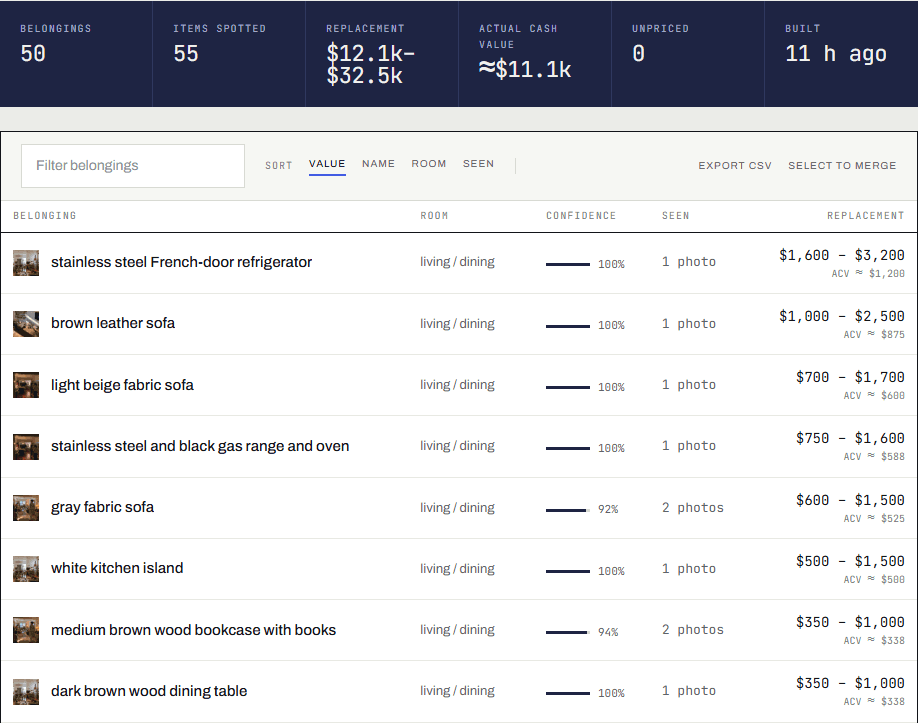
After step 4: the inventory. Fifty belongings from five photos, each with its room, how sure the model is, the photos it appears in, and a replacement range with the depreciated cash value under it. Review the list
Fix names, merge or split what the model got wrong, add the year you bought things and their condition. Walk through each room and say what the camera never caught. Drop in receipts and your Amazon order history so a stated price replaces an estimate.
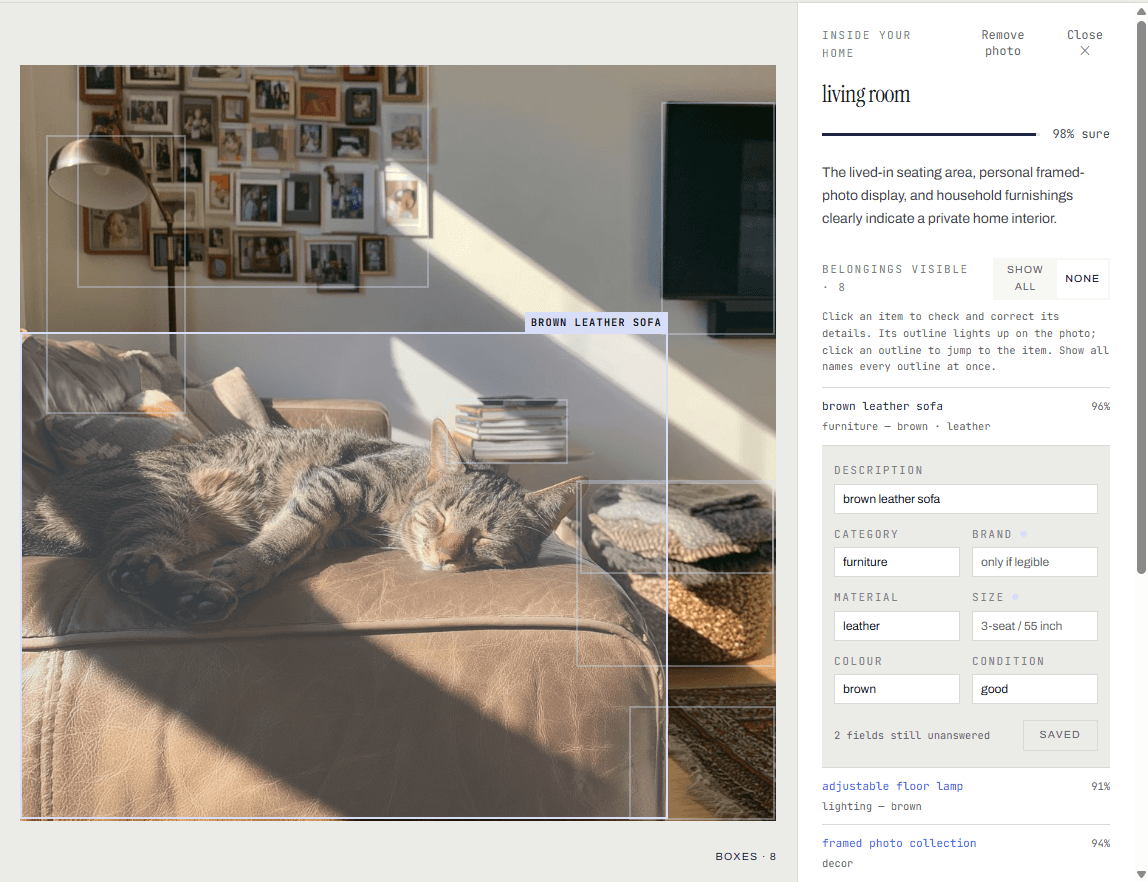
Step 5: one photo open for review. The sofa’s outline is lit, and its description, category, material, colour and condition sit beside it to check or correct. Two fields the model could not tell are left blank rather than guessed. Hand over your claim
Print it, share a read-only link, or download the Excel file the adjuster’s software imports. Every file you make is kept, so you can always send the exact version they saw.
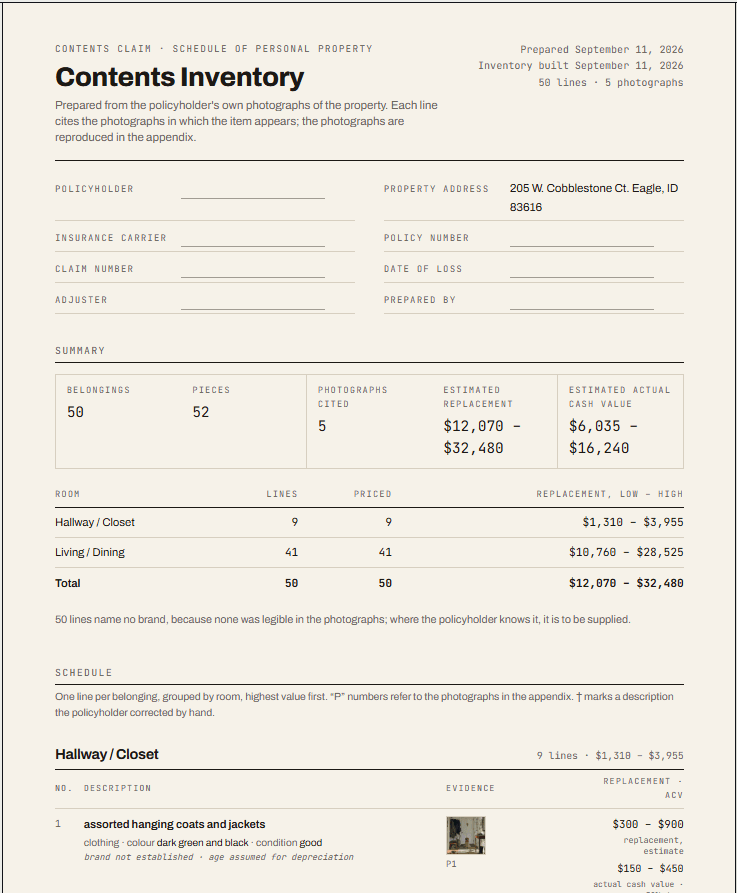
Step 6: the first page of the printed schedule, with the claim details block, the summary by room, and one line per belonging citing the photographs in the appendix.
Three ordinary photos, as the scan reads them.
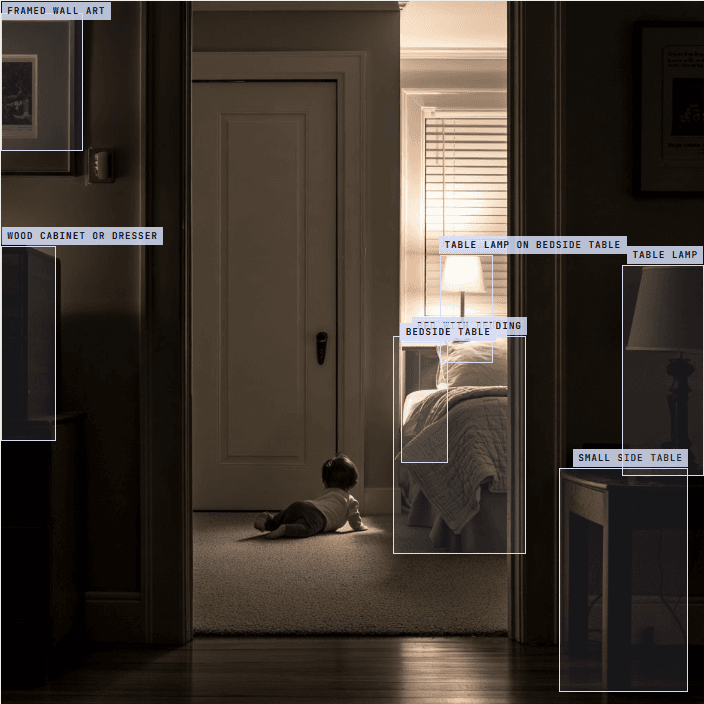
These are photos like the ones on your phone: a pet, a friend in a doorway, the kitchen on a normal day. Each outline is one belonging the model found, and each becomes a line in the inventory, with this photo attached as evidence. The same sofa in forty photos becomes one line, not forty.
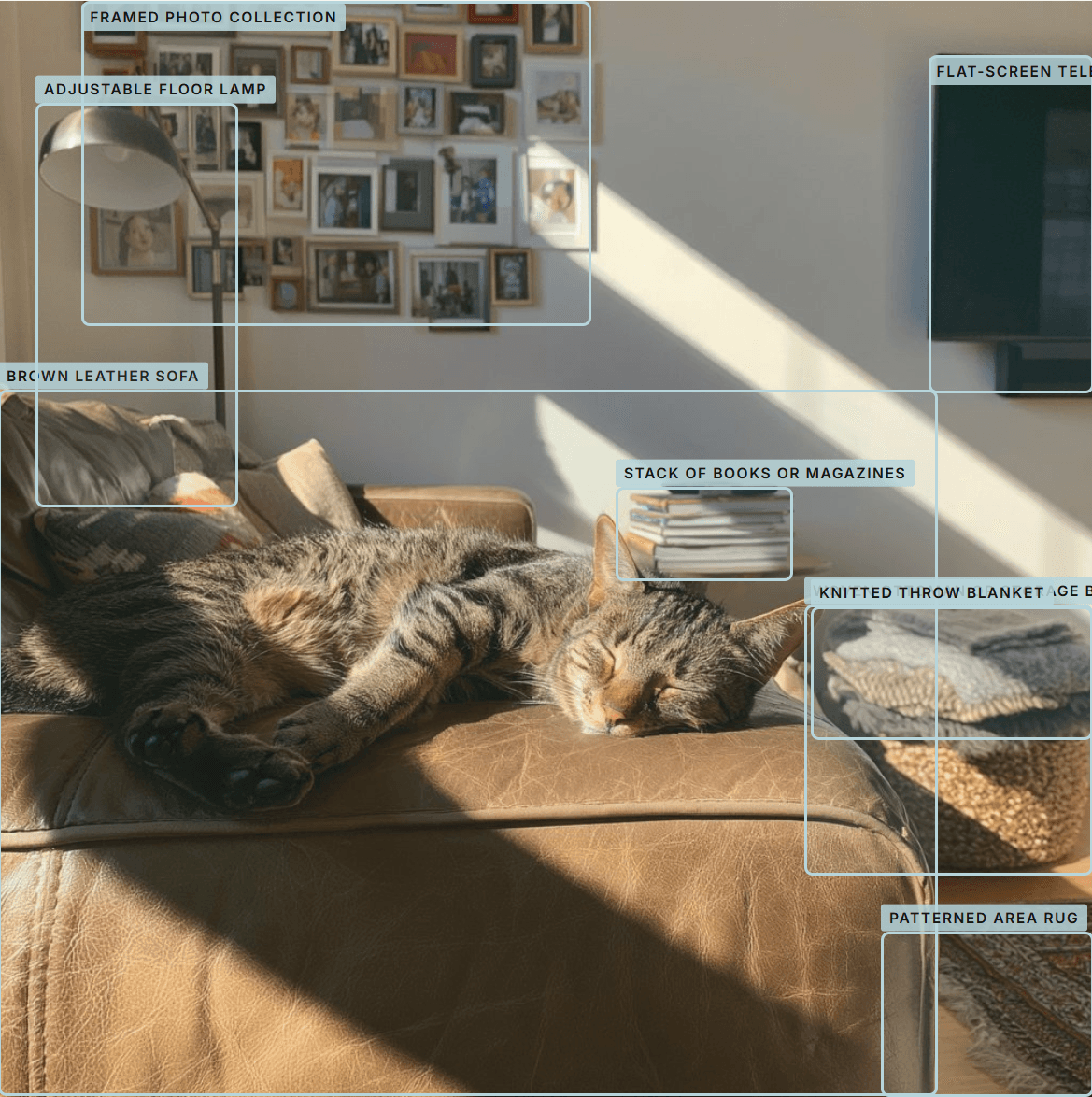
The cat on the sofa. Behind it: the sofa, a floor lamp, the television, a wall of framed photos, a stack of books, a knitted throw, a basket, the rug. Eight lines from one photo. 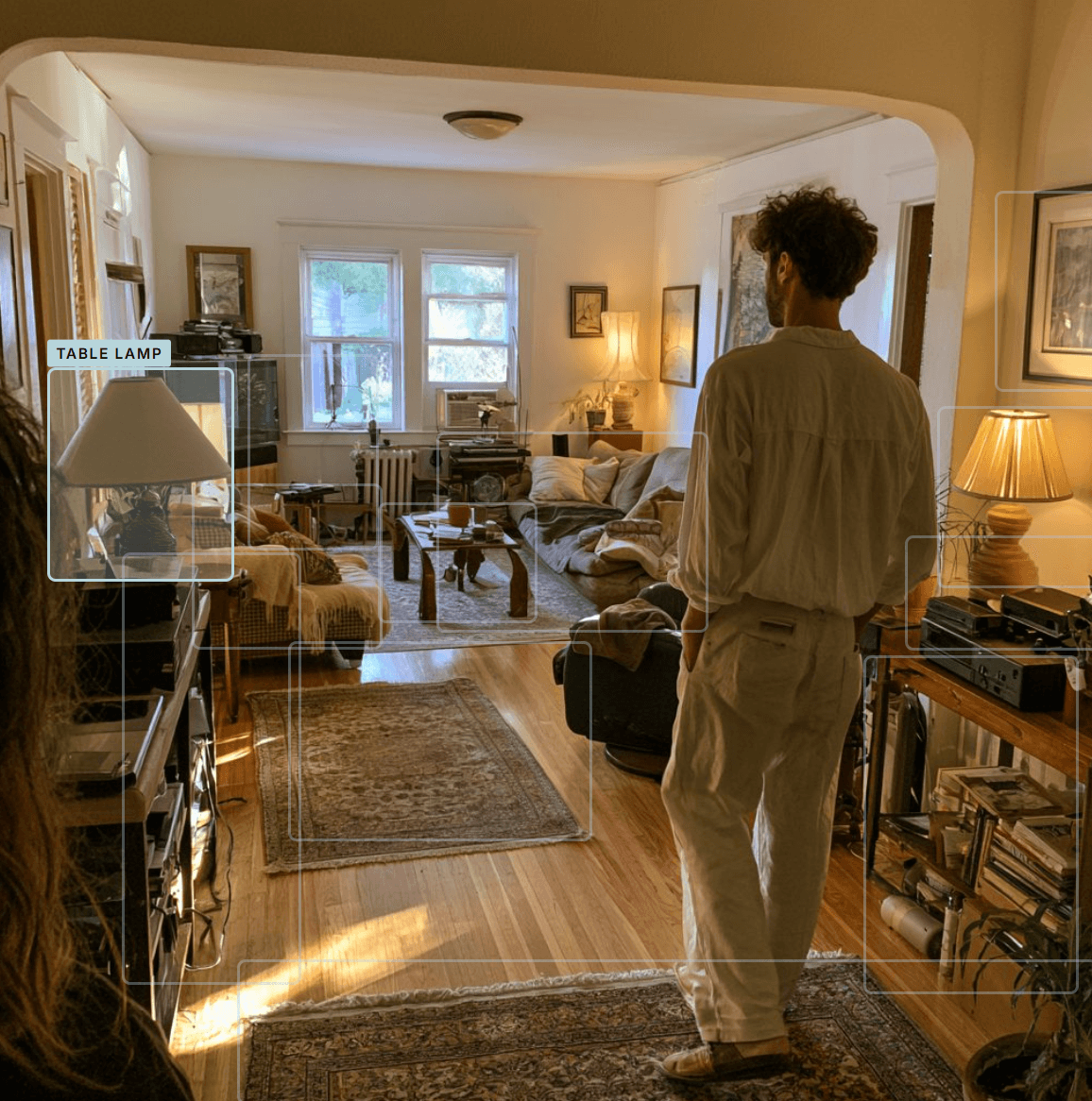
A living room on a sunny afternoon, photographed past a friend. Two lamps, the sofas, the coffee table, the rugs, the stereo and the shelves, each outlined. 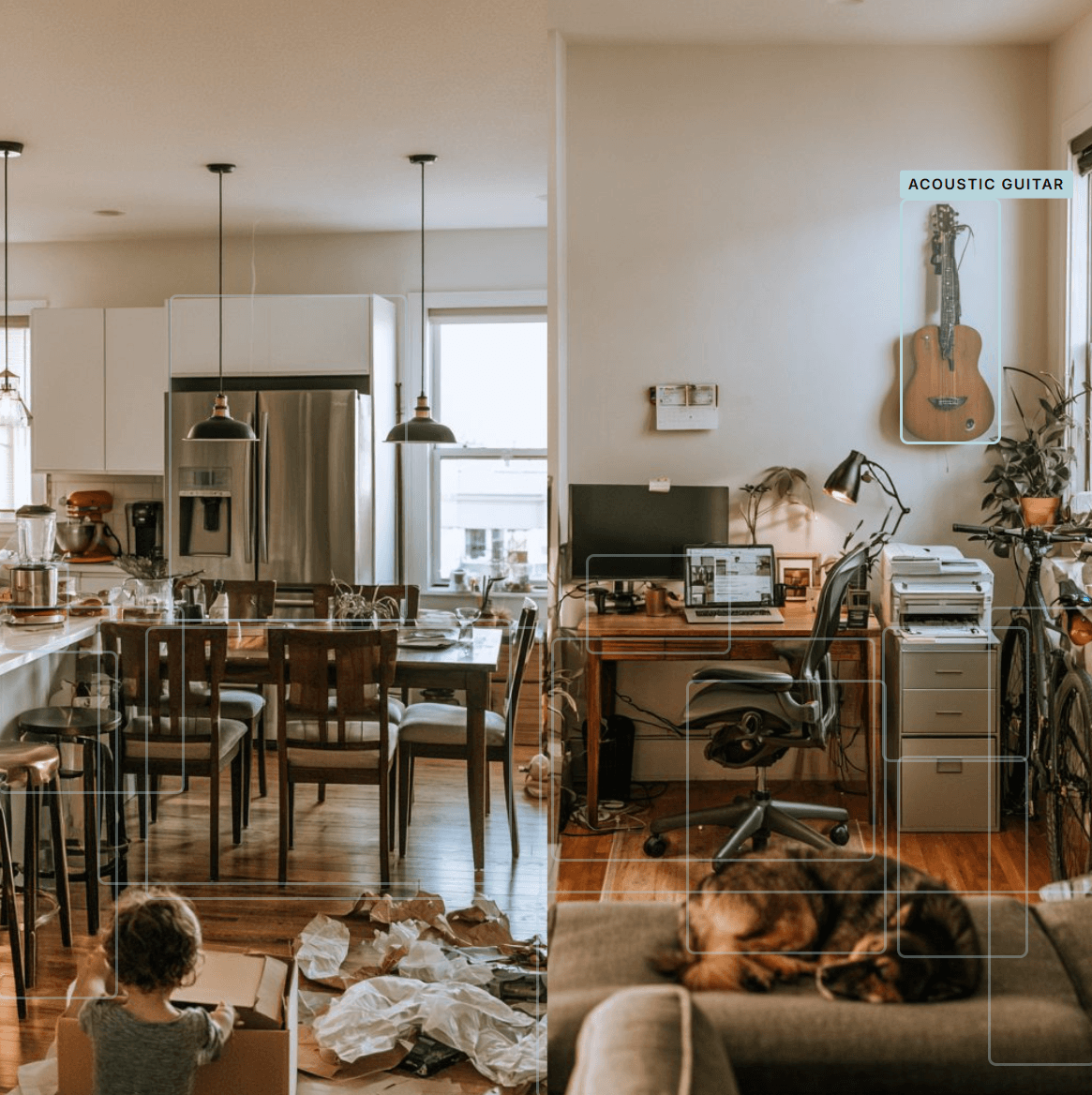
A kitchen and a home office in one frame: the fridge, the table and chairs, the desk and monitor, the printer, the filing cabinet, the guitar on the wall, the bike.
Three files, because no two carriers ask the same way.
The inventory lives in your household and you keep working from it — adding what a relative remembers, fixing a price when a receipt turns up. When the adjuster asks, you produce a file. Every file you have ever produced is kept, so months later you can still send the exact version they saw rather than a list that has moved on without them.
A printed schedule of personal property
One line per belonging, grouped by room, with the quantity, the age and condition where you know them, the replacement estimate and the depreciated cash value. The photographs are appended, and each line cites the ones it was found in.
This is the document an adjuster reads and a claim file keeps. It is also the version to hand to a public adjuster, an attorney, or the state insurance commissioner's consumer advocates if the claim goes sideways.
An Excel workbook for the adjuster's software
The same list as a spreadsheet, in the column order contents software expects, so the adjuster's system imports it instead of someone retyping four hundred rows.
Most carriers will send you their own blank template. Handing back a workbook that loads cleanly is the difference between a claim that moves and a claim that sits in a queue.
A read-only link they open without an account
A web copy of the inventory with the photographs, at an address you can send in an email. Nobody signs up, nobody installs anything, and you can stop sharing it at any time.
For the adjuster who wants to look at it now, on a phone, between two other claims — and for a relative helping you check the list.
One more thing happens after the handover. When the insurer sends back its own estimate of what your contents were worth, Rebuild lines that estimate up against your list, line by line, and shows you what they left out. That comparison is where an underpaid contents claim usually becomes visible.
It sees what the camera saw.
- It cannot see inside drawers, closets or boxes. Clothes, tools, the kitchen drawers and the garage shelves are where the walk-through matters: you say what was there and it goes on the list as yours, marked as added without a photo.
- It names a brand only when a logo or label is readable. Otherwise you get “dark sectional sofa, three-seat”, not a guess at the maker. You can add the brand yourself if you know it.
- Values are estimates. They are a starting point for the conversation with the adjuster, not an appraisal, and the adjuster will push back on some. A linked receipt turns an estimate into a stated price.
- It works from photos taken inside your home. If you have few of those, the list will be short. It tells you how many it found rather than padding the count.
- Blanks are left blank. Where the model could not tell the year, size or material, the cell stays empty for you to fill in, rather than an invented number the adjuster catches later.
The questions people ask us first.
- Is it really free, or is there a card at the end?
- Really free, and there is no card anywhere in it. The first 100 photos are read on the free plan, and you scan, build, price and review the inventory on screen. Nothing is charged, nothing expires, and no card is asked for. What the free plan holds back is the filing tools — the printed schedule, the Excel workbook, share links, receipt reading and the room walk-through — and you only need those the day the adjuster asks for files.
- What does it cost if I decide to keep going?
- One payment for your household, sized by how many photos the plan reads. It is not a subscription, there is nothing monthly, and nobody here takes a share of your settlement. Paying unlocks the household exactly as it stands — nothing is uploaded again and nothing you already built is lost. The plan page has the numbers.
- What happens to my photos?
- The export never leaves your computer. Your browser opens the zip locally and sends three small copies of each photo — a 512-pixel version for the model, a thumbnail, and a screen-sized view. A 2 GB export becomes about 85 MB on the wire, and the full-resolution originals stay on your machine. Photos the scan decides were not taken inside your home are set aside and used for nothing else. The model is asked about things, never about who is in the picture. Clearing your household deletes all of it, and so does deleting your account.
- Will an adjuster accept a list made this way?
- It is not a list a machine hands in; it is your list, built from your photographs, corrected by you. Every line cites the photos the belonging appears in, which is stronger than the list most people file — one written from memory with nothing behind it. It comes out in the three shapes carriers already read: a printed schedule of personal property with the photographs appended, an Excel workbook their software imports, and a read-only link they open without an account.
- Are the values real?
- They are estimates, labelled as estimates, and given as a replacement range with a depreciated cash value beside it. They are the starting point for the conversation with the adjuster, not an appraisal, and the adjuster will push back on some of them. Link a receipt or your order history and a stated price replaces the estimate. Where the model cannot tell, the cell is left blank rather than guessed, because an invented number is the thing an adjuster catches and then uses against the rest of your claim.
- What if I do not have many photos of the inside of my house?
- Most people have far more than they think — about one in three photos in an ordinary camera roll was taken indoors. Family and friends can add theirs from a link you send, with no account needed and with you approving every photo. And whatever the camera never saw — the closets, the drawers, the garage shelves — you describe in the room walk-through, and it goes on the list as yours, marked as added without a photo. The free 100 photos will tell you the answer in about ten minutes, at no cost.
- I do not have the energy for another app right now.
- Then do the smallest version: make the account, drop in the photos, and close the tab. The scan runs on the server without you. Come back tonight, or next week, to a first draft of the list. Nothing you build is lost if you step away, and there is no deadline here of any kind.
- Who is behind this?
- Rebuild is made by NovaTrak, and it was built in Spokane after the 2025 and 2026 fires for the people who came home to nothing. We make the contents list and nothing else: we do not negotiate claims and we do not give insurance or legal advice. If the price is what stands in the way, write to info@novatrak.com and say you lost your home. We would rather hear from you than have the claim stall.
The first 100 photos are free. Start with the ones you have.
The account takes about a minute, with Google or an email address. Drop in an export from your phone and the scan runs on its own; close the tab, and come back to a first draft of the list.
Free for the first 100 photos · No credit card · Sign up with Google or an email address in about a minute · Paid plans are one payment, never a subscription
The Home plan is one payment of $99, it unlocks the household exactly as it stands, and nobody here takes a share of your settlement.